Handshape

A little New Zealand Sign Language, every day.

A new sign and a signed sentence each day, practice in both directions, and all 5,344 signs offline on iPhone, iPad and Mac. Free, with no ads and no account.

Join the beta

Free, on TestFlight — Apple’s app for trying apps before they are released — for iPhone, iPad and Mac.

An independent app by Howard Grigg, not affiliated with or endorsed by Victoria University of Wellington or its Deaf Studies Research Unit. Dictionary content is used under its licence.

Handshape’s daily challenge, showing a video of a sentence being signed above a box headed “what does it mean?” waiting for an answer.
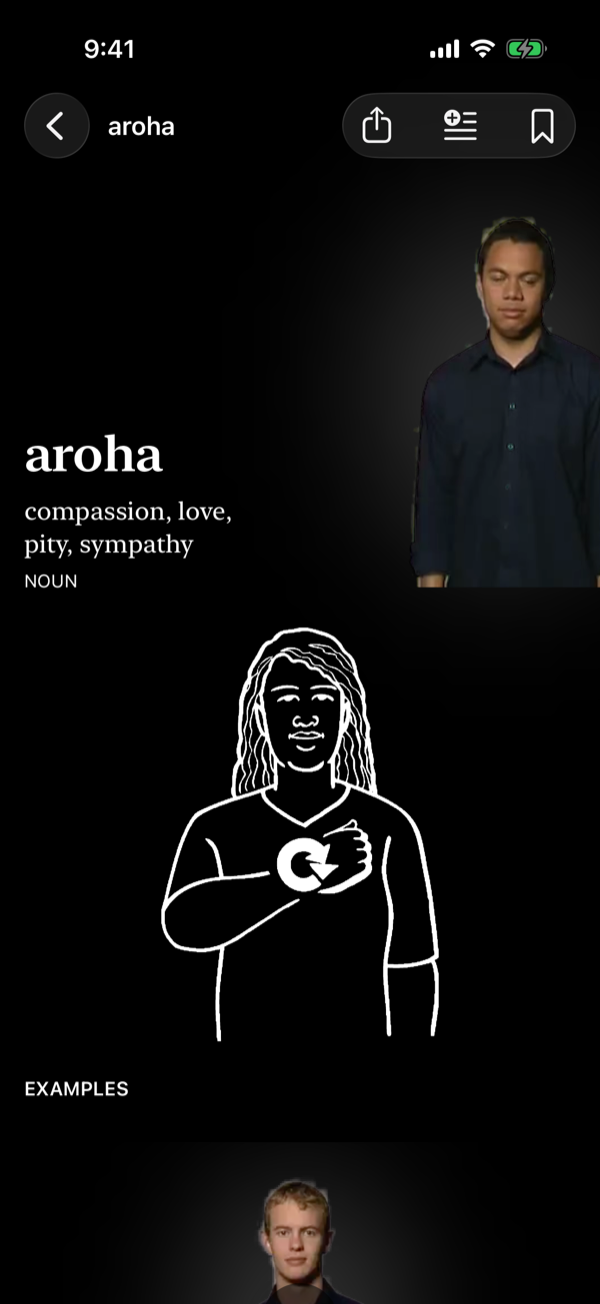
The Handshape entry for the sign “aroha”, glossed compassion, love, pity, sympathy, with a video of a man signing it and an illustration of the sign underneath.
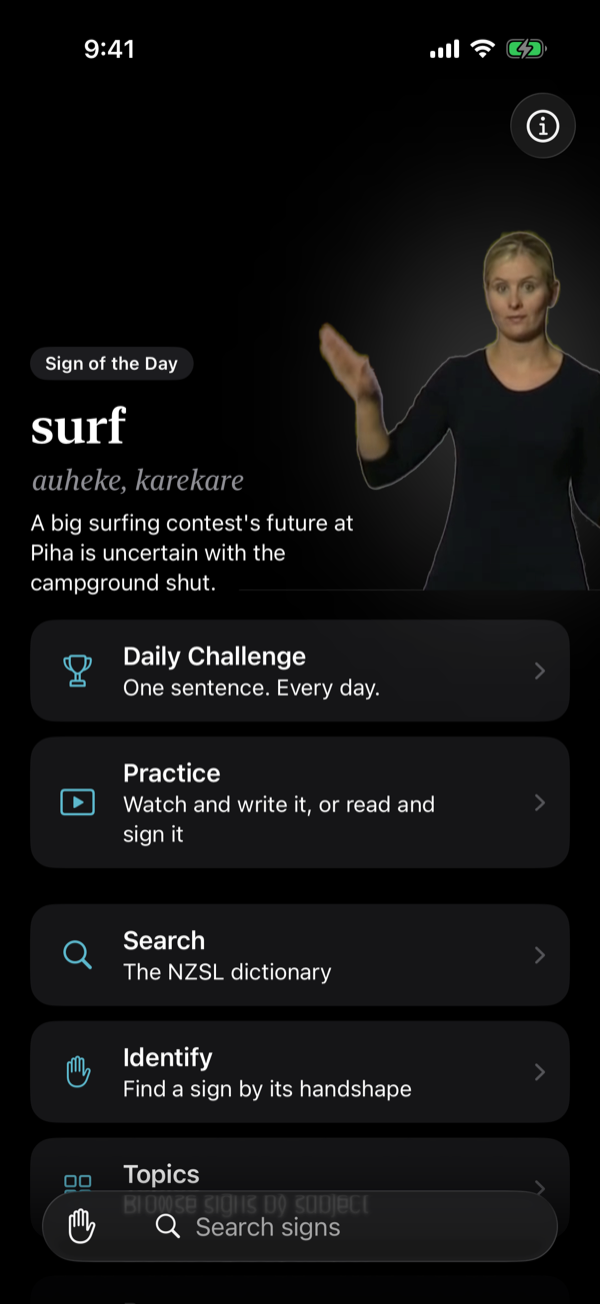
The Handshape home screen: the day’s sign, signed, with its te reo Māori gloss and the reason it was chosen, above rows for the daily challenge, practice, search, identify and topics.

Today’s sign

Canterbury

Sunny opening day for the Canterbury A&P Show.

See the full entry

Today’s challenge

Try it in your browser

One signed sentence a day, the same for everyone. Watch it, write what it means, see how close you got. Works on Android too.

Start today’s challenge

The dictionary

Every sign, with video and illustration

The New Zealand Sign Language Dictionary from the Deaf Studies Research Unit at Victoria University of Wellington: every sign, example sentence and te reo Māori gloss.

Search in English or te reo. Saw a sign you can’t name? ‘Identify’ narrows it down by handshape and location.

Handshape search results for “whanau” typed without macrons, listing the signs for family and for being born, each with a small illustration of the sign.

The daily challenge

One sentence a day, the same for everyone

Watch a sentence being signed and type what you think it means. You get a score out of five and a new sentence tomorrow.

Share the result like a Wordle grid: a date and a row of hands, never the sentence.

Handshape’s daily challenge, showing a video of a sentence being signed above a box headed “what does it mean?” waiting for an answer.

Practice

Both directions

NZSL to English. Watch a signed sentence and write what it means. Marked on the device by Apple Intelligence where it’s available, otherwise by you.

English to NZSL. Read a sentence, sign it to the front camera, then compare your recording with the dictionary’s signer. You mark yourself — nothing scores signing.

  • 5,470 sentences, filtered by topic or length
  • Recordings stay on the device and are deleted after the session unless you keep them
Handshape’s practice set-up screen, opening with a choice between “NZSL to English — watch, then write” and “English to NZSL — read, then sign it”, above the session length, sentence length and topic.

Sign of the day

Picked for the day

Either something seasonal or something relevant from the news — Christmas on Christmas, a te reo sign in Te Wiki o te Reo Māori. Add it as a widget to your Home Screen, Lock Screen or Mac desktop.

The Sign of the Day widget on an iPhone home screen: the illustration of the sign for surf beside the word, its te reo Māori gloss auheke, karekare, and why it was chosen — a big surfing contest at Piha.

On iPad

Room to study a sign

Full screen, the list sits beside the sign you are reading, as it does on the Mac. Put it next to another app and it becomes the iPhone layout, still on the same sign.

Handshape on an iPad in landscape: a sidebar of places, search results for “aroha” with aroha selected, and its entry beside them — the signer’s video with controls for single frames, speed and mirroring, the illustration, an example sentence about a grandmother with each word as a chip, and how the sign is made.

On the Mac

A real Mac app, in sync with your phone

Not the iPad app in a window: results and the sign sit side by side, so you can arrow down the list and each one signs as you reach it. Your saved signs and history sync with your iPhone and iPad through iCloud.

Join the beta

On TestFlight, with the iPhone and iPad app. Or download it directly · macOS 26 or later · notarised by Apple

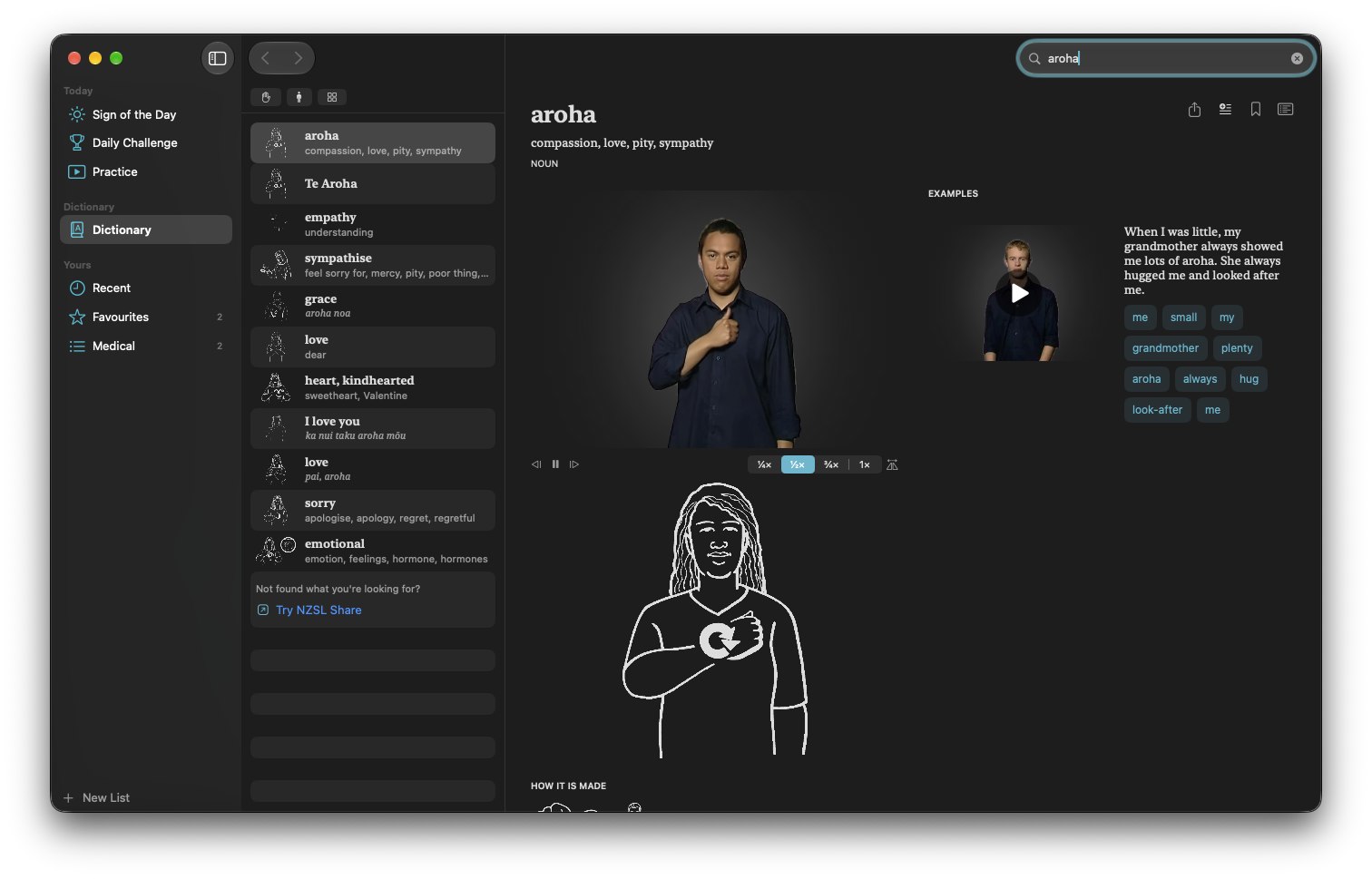
Handshape on a Mac: a sidebar of places, a list of search results for “aroha” under Handshape, Location and Topic filters, and the entry beside it — the signer’s video with controls for single frames, speed set to half, and mirroring, the illustration, and an example sentence.

Dark mode

Dark mode, too

Handshape follows your device’s appearance setting, on iPhone, iPad and Mac.

The Handshape home screen in dark mode: the day’s sign, signed, above rows for the daily challenge, practice, search and identify.
The entry for “aroha” in dark mode: the signer on a black page, and the illustration drawn in white.
Handshape on a Mac in dark mode: a sidebar of places, search results for “aroha”, and its entry beside them.

Platform

Spotlight, widgets, Siri and the rest

Free

No ads, in-app purchases, subscriptions, accounts, analytics or tracking.

The dictionary’s licence doesn’t allow charging for it, so this stays free. Everything that leaves your phone is listed on the privacy page.

Join the beta

Dictionary data

New Zealand Sign Language Dictionary
© Deaf Studies Research Unit, Victoria University of Wellington

Source: nzsl.nz
Licence: Creative Commons Attribution-NonCommercial-ShareAlike 4.0 International (CC BY-NC-SA 4.0)

Entry text is as published. The dataset has been reformatted and indexed for offline use.

Handshape and location diagrams © 2012–2015 Greg Hewgill; © 2016 Deaf Studies Research Unit, Victoria University of Wellington. From the official NZSL Dictionary app for iOS, used under the MIT licence.